BG Deposit
Process
In this example, we’re using Coinbase as the source of funding.
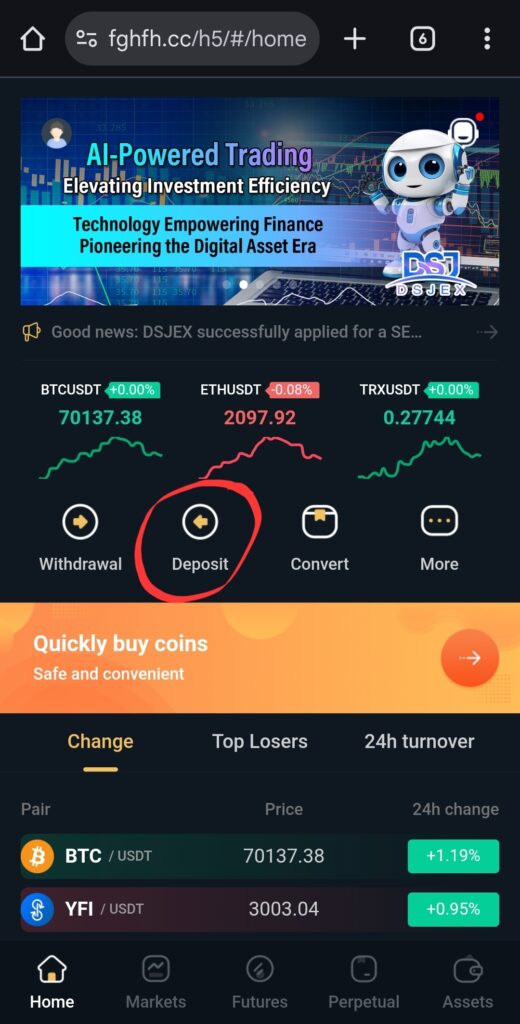
1. From DSJEX Home page, click “Deposit”.
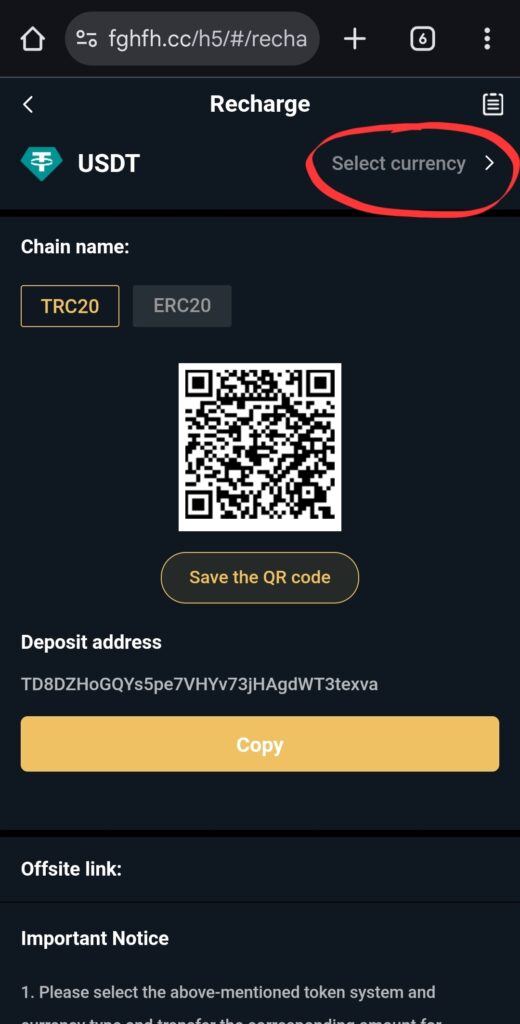
Click “Select currency”
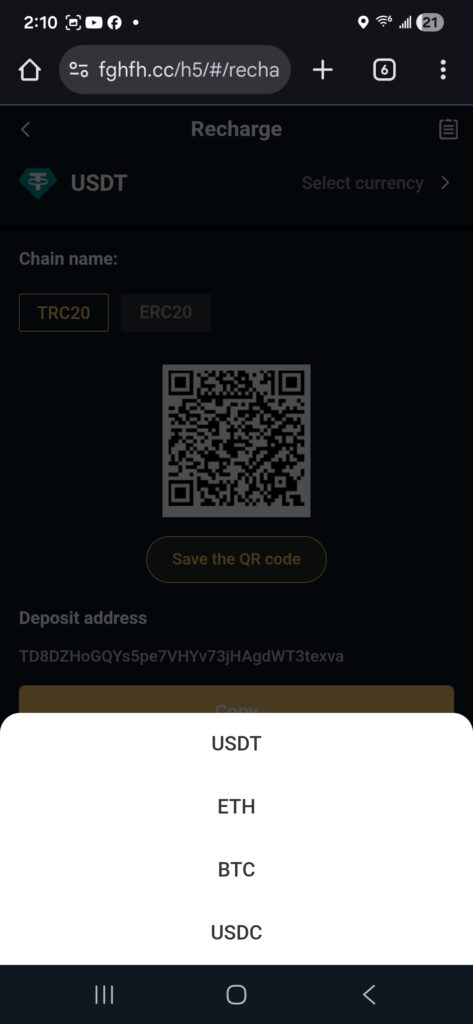
Select “ETH” from the pop-up.
NOTE: At the moment, DSJEX’s currency to make a deposit is ETH.
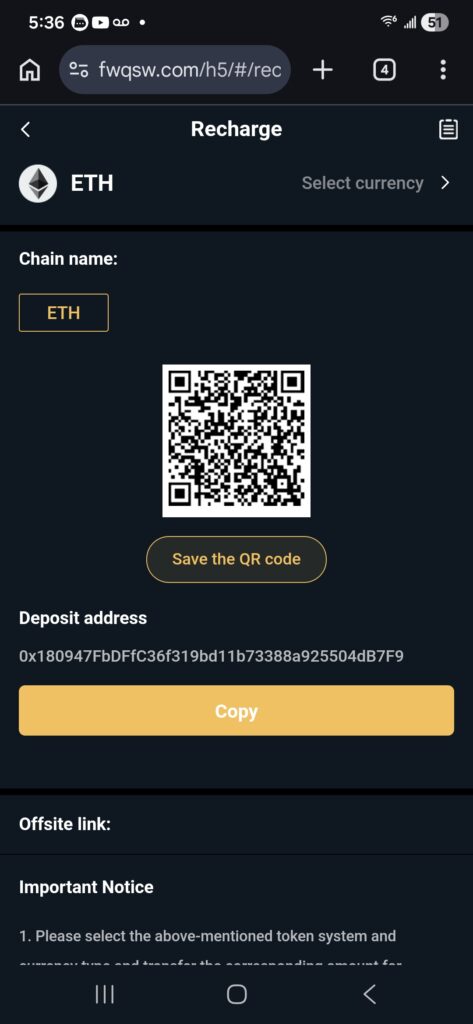
Click “Copy” to copy Deposit address to the clipboard.
2. Initiate the deposit from a wallet.
▪︎ Switch to your wallet.
▪︎ Paste the code that you copied from DSJEX to the “Deposit to” in the wallet.
▪︎ Make sure that the “currency” matches what you selected when setting up the deposit parameters on DSJEX. In this case “ETH”.
▪︎ Complete the process.
NOTE: Consult with your sponsor to assist you in making your initial deposit to your DSJEX trading account.
MUST:
▪︎ Take a screenshot of the details of the deposit transaction when completed.
▪︎ Send to Elena for verification via bonchat.
Next: Verify Deposit