BG Create a Bonchat Account
Bonchat is the communication portal of the group. It’s where you receive “trading signals”, updates, and sharing.
NOTE: HAVE YOUR STATE ID ON-HAND.
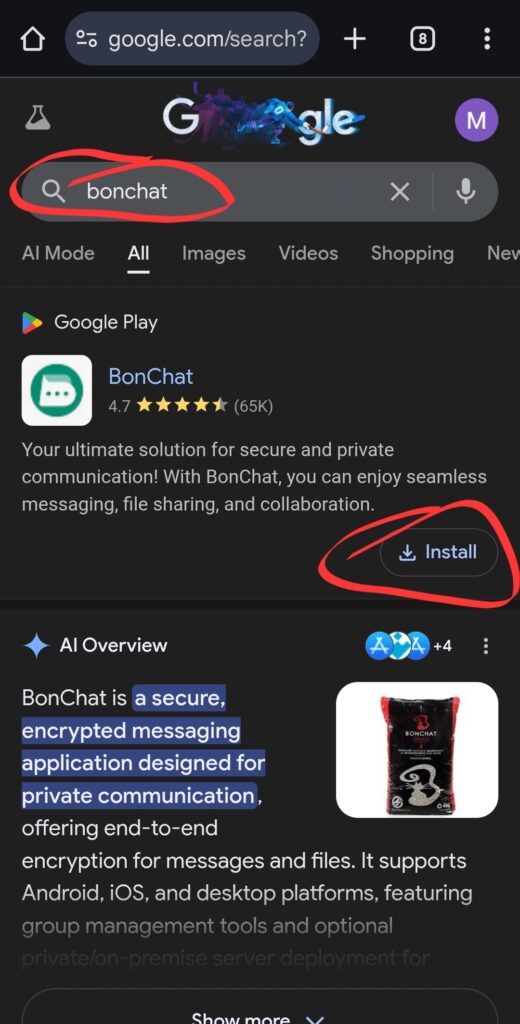
You can safely download BONChat by searching for “Bonchat” in the corresponding mobile app.
■ Open Google search
■ Type “bonchat” on Google search field
■ The app information will appear.
■ Click “Install”
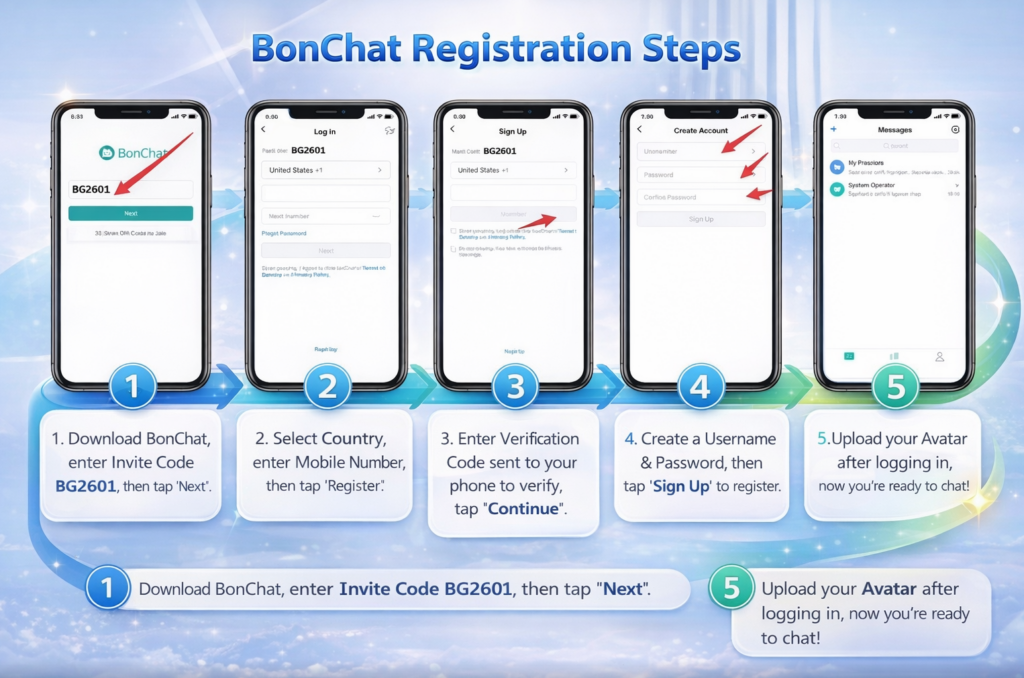
■ After downloading: Enter the server number “BG2606” and click “Next” or “Join”.
■ Then click “Register” at the bottom.
■ Select your country and enter your mobile number.
■ After receiving the verification code on your phone, click “Continue”.
■ Enter your username.
■ Enter your password.
■ Re-enter your password.
■ You will be logged in.
■ Once logged in, make sure to upload your profile photo; this is important so the team will recognize you.
Mute notifications
■ Due to the huge number of members posting throughout the day, you will hear the continuous notification sound.
■ To disable hearing the notification, when inside the chat, on the upper right hand corner of the screen, click the circle with an “i” inside it.
Slide the button to the right of “Mute Notifications”.
Add contacts.
■ Elena2026
■ Stephen03
Once you’re accepted, reply to all the correspondence with both to activate your account.
Elena will set you up with the group, BG-040, where you’ll receive the trading signal codes.
Other bonchat groups will appear. You can access them as well.
Bon Chat group will be closed at 9:30 pm EST and remain open until 10:30 AM the next day.